
A new stillOS update is here! This release updates core parts of the desktop to GNOME 49 and includes major improvements across stillExplore, stillTerminal, SWAI, Quick Setup, stillCenter, and stillControl.
Much of the work in this release focused on what happens after installing stillOS. The first few minutes should now be more helpful, hardware setup is easier, apps install faster, and SWAI web apps behave much more like desktop applications.
Core GNOME 49 components
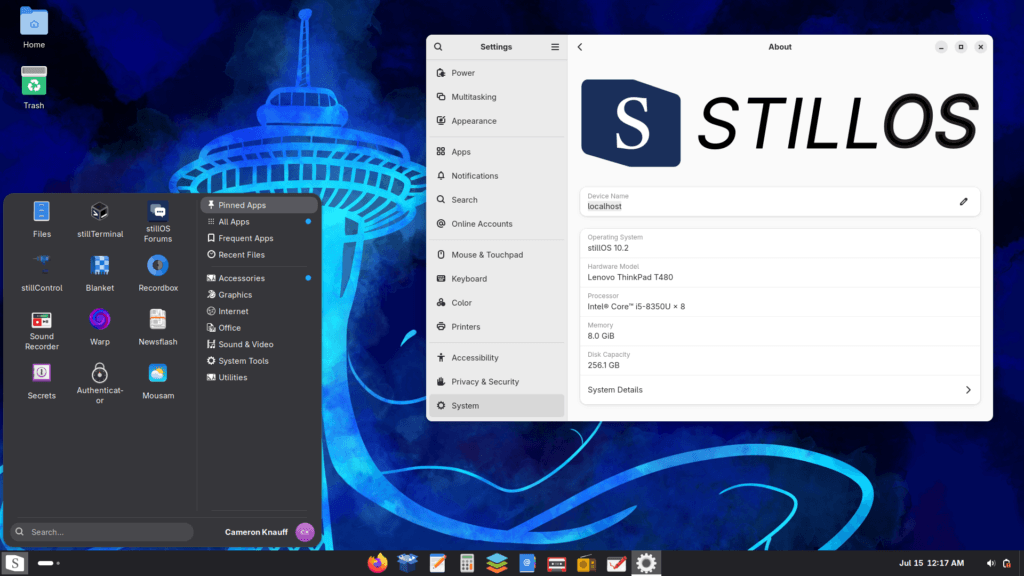
stillOS now includes core GNOME 49 components from RHEL and AlmaLinux.
This is not a complete port of the entire GNOME 49 stack. We updated the parts that matter most to the desktop experience, including GNOME Shell, while continuing to use packages from the stillOS base where appropriate.
GNOME 49 includes plenty of improvements over GNOME 47, but one of the biggest reasons for this update is better Wayland support. stillOS is built around Wayland, and newer GNOME components give us a better foundation as more applications move away from X11.
We have also switched from Inter to the official Adwaita fonts. Adwaita Sans is itself a fork of Inter, so the desktop keeps a familiar look while matching the typography used by current GNOME applications. An unexpected side effect is that some Qt applications may render text better with Adwaita Sans. We previously gave a number of Qt apps Silver or Bronze stillRatings in stillCenter because of broken text editing or rendering. We now need to go back and test those apps again. Some of them may deserve a higher rating with the new font configuration.
There are several smaller changes to the GNOME experience too. Due to widespread community demand, taskbar autohide is no longer enabled in the default layout. It can still be turned on if you prefer it, but the taskbar will now remain visible out of the box.
stillGNOME can now also detect when a system GNOME extension crashes and notify you about it. Extensions are an important part of the stillOS desktop, so we want failures to be visible rather than leaving users wondering why part of their desktop suddenly stopped working.
A more useful first boot
The stillExplore homepage now gives you a list of useful things to do after installing stillOS.
Instead of opening to a general introduction, stillExplore walks you through tasks such as:
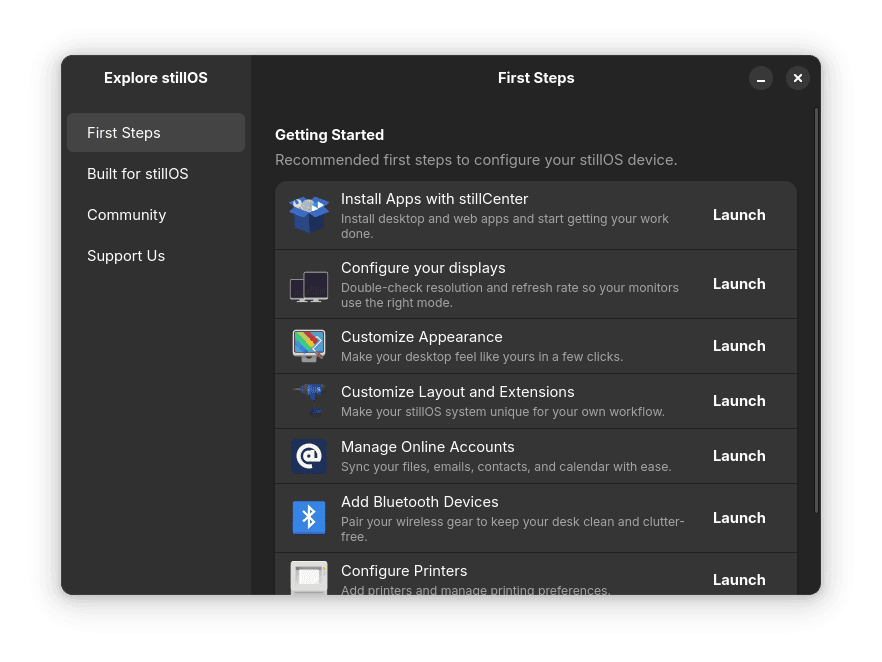
- Installing your applications
- Checking your display configuration
- Customizing the desktop
- Connecting Bluetooth devices
- Adding a printer
These are not required setup steps. They are there to help new users find settings and features that might otherwise be easy to miss.
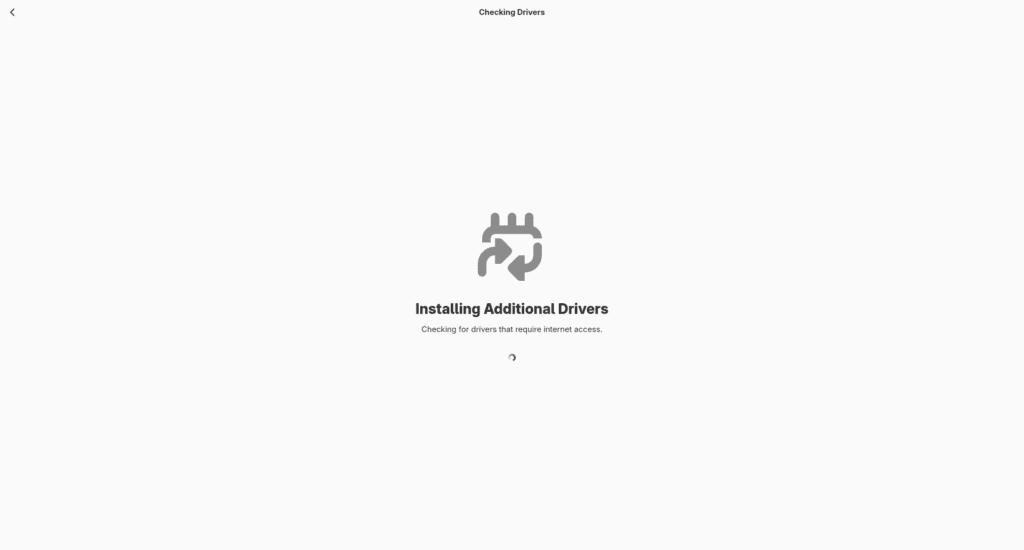
Quick Setup can now fully automatically install hardware drivers during the initial setup process. This includes NVIDIA drivers, which Quick Setup installs using rpm-ostree.
Because stillOS can now handle NVIDIA drivers after installation, we no longer need to build and maintain separate NVIDIA ISOs or system images. Everyone can download the same stillOS image, and Quick Setup will handle the hardware-specific work.
Quick Setup now pins most of the applications you install to Arc Menu or the dock as well. When setup finishes, the apps you selected should be immediately accessible rather than disappearing from the application list.
stillTerminal improvements
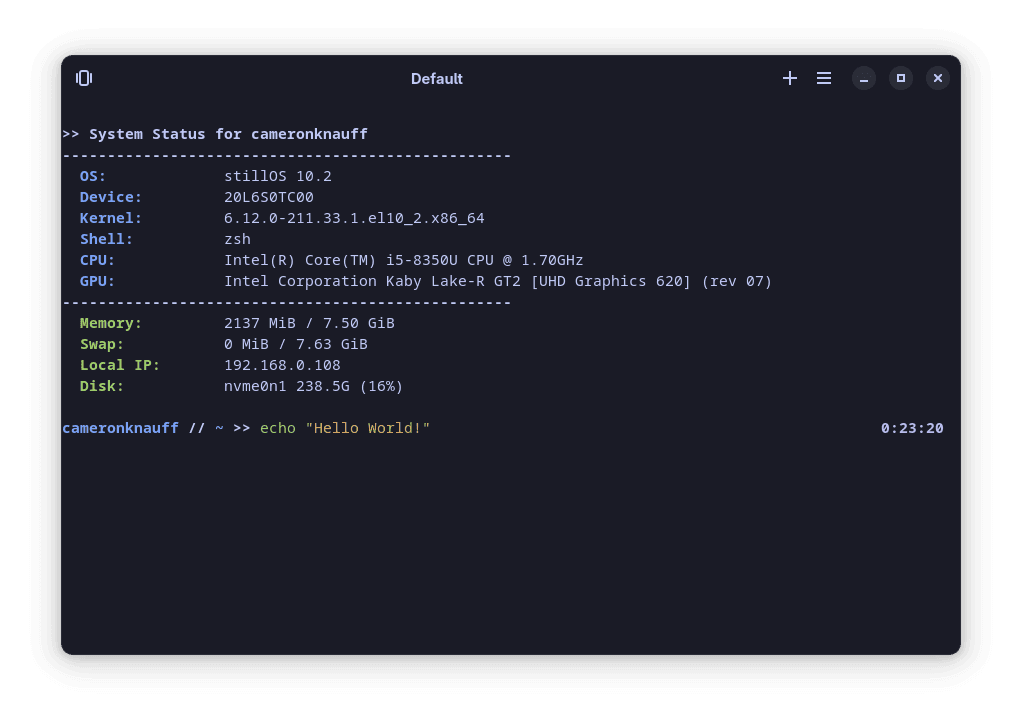
stillTerminal has received several quality-of-life improvements.
There is a new “Open in Current Directory” button that makes it faster to open a terminal in the folder you are currently viewing. stillTerminal can also switch its titlebar color to match the active profile, and this update includes several new terminal themes.
The stillOS ZSH configuration has also been improved. It now keeps a longer command history, has more useful keybindings, provides better autocomplete, and includes safeguards around still-fetch to prevent it from running in situations where it could cause problems.
SWAI is now Wayland native
SWAI is the runtime we use to turn web applications into integrated stillOS applications. This release contains massive changes to how SWAI works.
SWAI is now fully Wayland native and no longer runs through XWayland, the compatibility layer used to run older X11 applications on a Wayland desktop. This improves how SWAI apps interact with stillOS and provides a better foundation for future Wayland work.
SWAI apps can now provide a custom user agent for websites that behave differently depending on the browser or operating system they detect. Apps can also inject custom JavaScript when needed. This allows us to make small compatibility improvements, such as removing “Open in Desktop App” buttons when the desktop application is not available on Linux.
Cross-ecosystem support has also become much more reliable. Apps in the same ecosystem can share sessions and move between services without opening unnecessary windows. For example, if you move from Google Drive into Google Docs, the existing SWAI window can switch its name and icon from Drive to Google Docs. When you return to Drive, it can switch back. It feels like the app has changed to match what you are doing, instead of opening another window for each service.
The ability for ecosystem apps to change their own identity is new for stillOS. Almost every other SWAI feature should now work on other Linux distributions as well. This wider distro compatibility is new in this release and was worked on by stillOS contributor Arqam Qazi. SWAI is designed to integrate with GNOME and Libadwaita, however. Other desktop themes are not currently supported, so SWAI may look out of place or have visual problems on distributions that heavily customize their GTK theme.
SWAI now reads more information from Progressive Web App APIs, including start_url, scope, and scope_extensions. This gives each app a clearer understanding of which pages belong within its window and which links should open elsewhere.
Media apps now register properly with MPRIS. Playback information and controls can appear in the GNOME interface, and media keys should work more consistently.
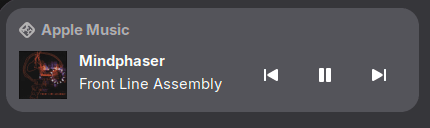
SWAI apps can now work offline when the underlying web application supports it. Offline support will vary because each web service determines what it makes available without a network connection, but SWAI now has the runtime support needed to enable offline web apps.
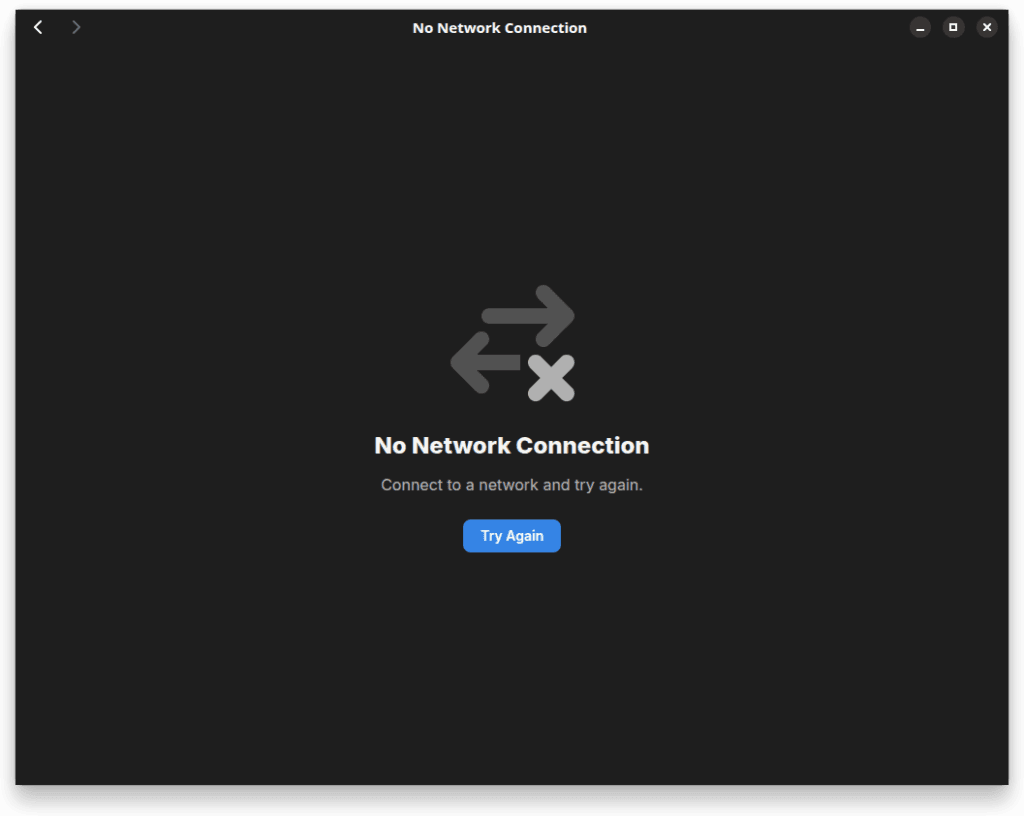
Losing your internet connection should also be much less confusing. Instead of showing a generic browser error, SWAI now displays GNOME-style status pages for issues such as no network connection or inability to load an app.
A faster stillCenter
stillCenter now opens significantly faster, and search results should appear more quickly and accurately.
Much of stillCenter’s app information now comes from AppStream data. This gives us better multilingual metadata and avoids duplicating work already done by application developers and the wider Linux community.
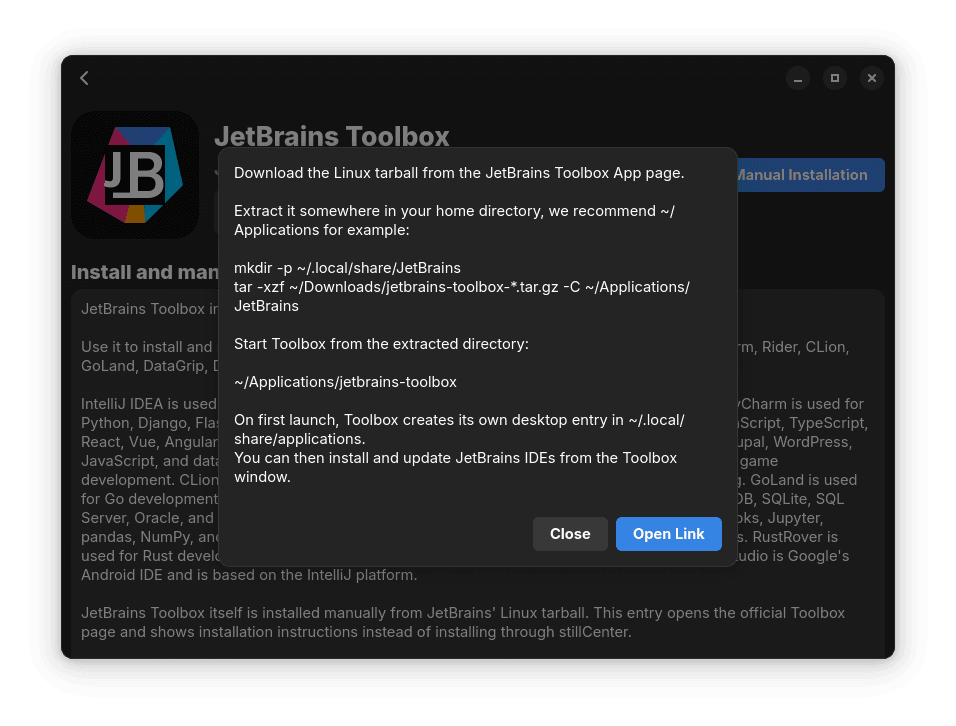
AppImages are now listed in stillCenter too. Because AppImages are distributed differently from Flatpak and SWAI apps, stillCenter provides a link to the official download rather than installing them directly. This makes it easier to discover software that is only available as an AppImage while keeping the download source clear. For other applications that require manual installation but aren’t an AppImage, we can now provide instructions within stillCenter on how to install it.
New Nautilus “My Computer” Homescreen.
Sometimes a feature starts with a detailed roadmap. This one started with me scrolling through Reddit.
I came across a GNOME community member sharing their new “My Computer” extension for Nautilus. I immediately thought it would be a perfect addition to stillOS.
“My Computer” is a familiar idea for people coming from Windows, and it gives new users a simple place to understand their storage and system. It is the kind of feature that makes a computer easier to navigate without requiring someone to understand the Linux filesystem first.
I messaged the developer and started working on bringing the extension to stillOS. That involved backporting it to Nautilus 47 and fixing some problems that appeared on bootc systems. It now ships as part of the stillOS Nautilus experience.
I would like stillHQ to do more of this. We have spent a lot of time building our own tools, but not every useful idea needs to begin inside stillHQ. Sometimes the better approach is to find a good project from the wider Linux community, work with the person behind it, and help make it usable for more people.
The same applies in the other direction. When stillHQ develops something that could help users outside stillOS, I want us to contribute that work upstream whenever it makes sense. Linux gets better when projects share work rather than reinventing the same ideas in isolation.
More options in stillControl
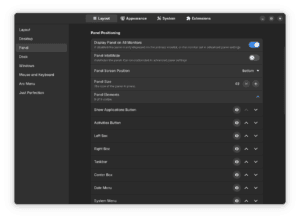
stillControl now provides more complete settings for Arc Menu and Dash to Panel. You can customize more of the stillOS desktop without opening the individual extension settings or figuring out which extension controls a particular part of the interface.
Startup applications can now be managed from stillControl as well, putting another commonly needed desktop setting in one predictable place.
A new home for stillOS documentation
We have launched a new documentation project at docs.stillhq.io.
The site is still getting started, but we want to build it into a full knowledge base for stillOS users. It should eventually be the place to find practical tutorials for installing and configuring stillOS, fixing common problems, understanding how the system works, and developing its components.
Good documentation requires more than one person to write it. We could use community help documenting features, writing tutorials, clarifying confusing steps, adding troubleshooting notes, and fixing the small mistakes that are easy to miss. If you learn something while using stillOS, writing it down could save the next person a lot of time.
The docs already include a Contributors Guide that explains the different stillOS projects and how to submit changes. Since the documentation site is itself an open stillHQ project, contributing can also be as simple as improving a page or documenting something you just figured out.
The foundation for translations
We have started adding Gettext support to stillHQ system applications.
English is still the only language available right now. The important part of this update is that the technical foundation for translations is finally there. What we need next is help from the community to translate stillExplore, stillControl, stillCenter, Quick Setup, and the other stillHQ tools.
If you speak more than one language, the new Translate stillOS guide explains how you can help. You can also reach it from the translations page inside stillExplore. You do not need to be a programmer to contribute a translation.
Building the stillOS community
When I started stillOS, I had a pretty clear idea of the Linux distribution I wanted to build. I wanted something stable, approachable, and designed for people who need to get work done without constantly having to maintain their computer.
stillOS has now reached the point where it fits that initial vision. There is obviously more work to do, and there always will be, but the foundation is here. Now I want to focus on building the community around it.
The goal is to keep stillOS innovative while also building a Linux system that literally anyone can use. Those ideas do not have to conflict. Linux can try new things without becoming confusing, and it can be approachable without becoming boring.
We want more people bringing ideas to stillOS. If you have an idea for an app, an extension, a design improvement, documentation, or something we have not thought of yet, we want to help you explore it. You do not need to be an experienced open-source developer. Part of building a healthy project is helping new contributors learn how to turn their ideas into something real.
Contribution is only one part of the community, though. We also want stillHQ to be a friendly, non-elitist place for people who use Linux to get their work done. You should not need to know every terminal command, compile your own kernel, or prove how long you have used Linux before you are taken seriously. Beginners, experienced users, developers, designers, translators, and people who simply enjoy using stillOS should all feel welcome.
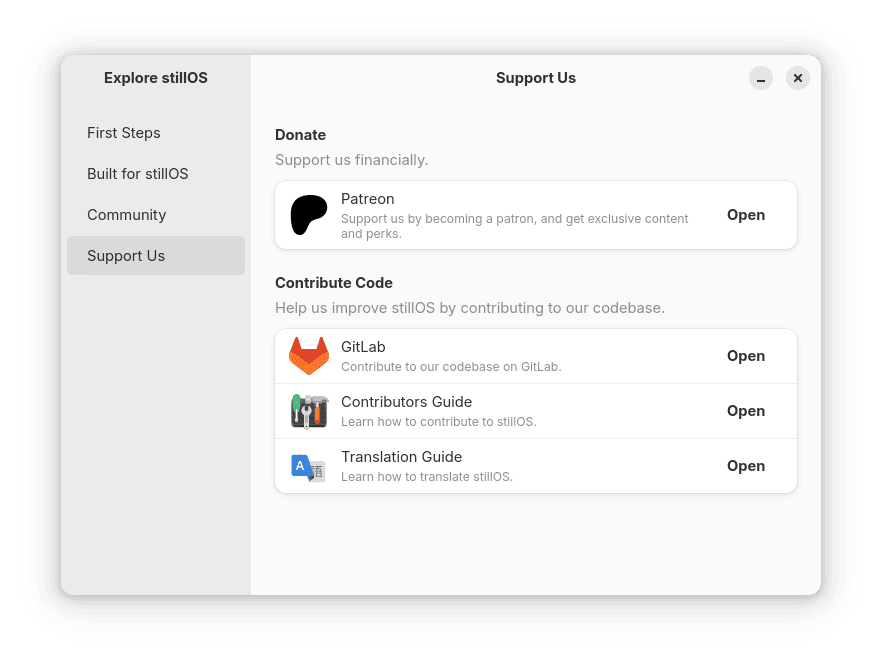
The new pages in stillExplore explain some of the ways you can get involved. The documentation site also has a detailed Contributors Guide and a guide to translating stillOS. You can also join the stillOS Discord to share feedback, ask questions, meet other users, or start working on an idea.
stillOS started as my idea of what a consumer Linux distribution could be. I am excited to see what it becomes with more people involved.
If you have any feedback for the new stillOS release, please reach out to my personal email: cameron (@) stillhq.io. Cheers!
Can’t get Still OS to boot in Vitutualbox VM either from DVD or ISO
Eager to try Currently a longtime Ubuntu user