
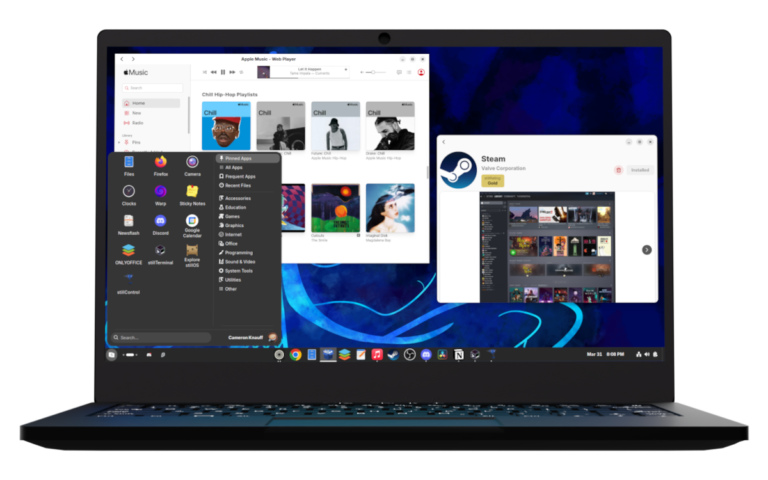
After 3 years of development, stillOS is finally here! As a college student I need my computer to just work. I have been a Linux enthusiast for a long time, but just out of needing to get work done, I have several times got fed up with needing to tinker with Linux and tried Windows again. But Windows 11 is so bad, that I haven’t ever stayed on it more than 48 hours, and always ended up back on Linux. That’s when my mission turned into making Linux as approachable as Windows or macOS? That’s what stillOS aims to achieve.
AlmaLinux 10 + Atomic Updates

The secret sauce to stillOS’s stability is it’s AlmaLinux base, paired with bootc. AlmaLinux is a community rebuild of Red Hat Enterprise Linux which is the defacto gold standard for mission critical infrastructure. AlmaLinux maintains a curated subset of packages that are engineered for stability and reliability. This creates a very stable platform that is the perfect base for a project like stillOS.
We pair the AlmaLinux package core with bootc containerization. With this, every single installation of stillOS (provided it’s on the latest version) is identical, making stillOS immutable and predictable. While you will not have access to a traditional package manager, you will never have to deal with a dependency conflict, or a Frankenstein installation of stillOS. By leveraging a enterprise-grade core paired with atomic updates, stillOS inherits a pragmatic “set it and forget it” design philosophy, and makes stillOS a tool that will respect your time and stay out of your way.
Thanks to Flatpak, your apps will stay fresh while the rest of the OS will remain stable and conservative. Updates for both the system and the Flatpak are also fully automatic in the background, so you can use stillOS without thinking about maintaining it all.
stillGNOME + stillControl
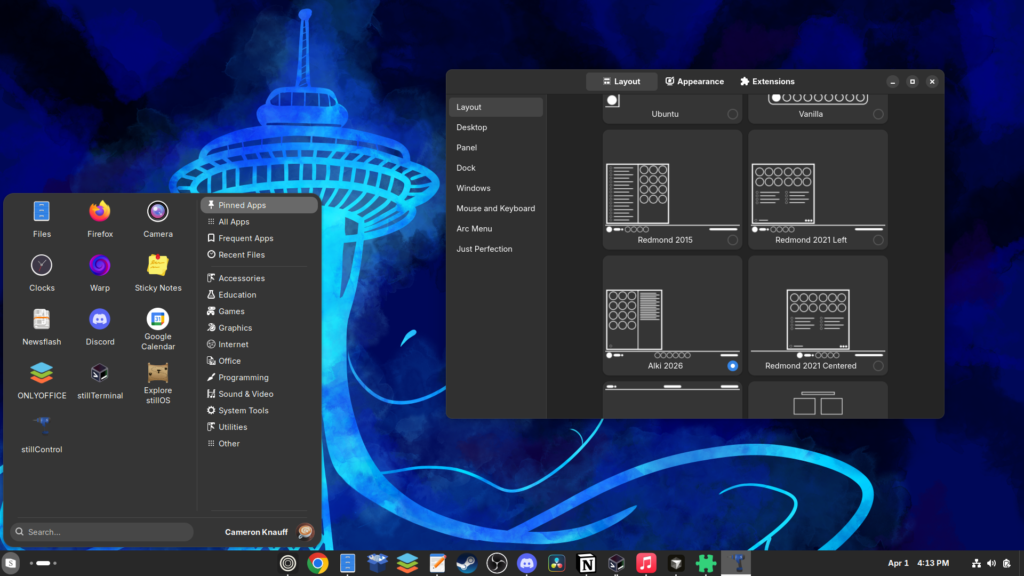
stillOS ships with the GNOME desktop. While many people may prefer other desktop environments, the reason will ship GNOME specifically is the apps. GNOME apps follow a consistent design language that makes it both easy for users to learn how to use GNOME apps from contextual experience with other GNOME apps, but also gives us a ridged design framework for us to develop for without things being an incoherent mess of design. This gives stillOS a very consistent user feel that feels like a polished consumer product.
Vanilla GNOME can have a learning curve, so we have a default layout that is supposed to be a merge of Windows and macOS, but also a tool called stillControl with a layout switcher, an easy set of options to configure your own user layout, and an extension manager and store built right in. Just open stillControl, click the base layout you are the most comfortable with for your work, and than tweak it to your liking.
Native-Feeling Web Apps… Powered by SWAI.
One of Linux’s biggest problems is app compatibility. Many people rely on proprietary SaaS software like Microsoft Office 365 and Adobe Photoshop. One thing that has been good for Linux adoption is SaaS software moving to the web. While web applications do have a lot of drawbacks compared to native software, SaaS moving to the web provides a great opportunity to bring Linux towards a less technical audience.
I frequently use Microsoft Office Online for collaborative college work, Notion for managing my time and my life, Photopea as my preferred Photoshop alternative on Linux, and Apple Music as my preferred music streaming service. None of these have a native Linux application, and frustrated needing to do something on Notion, than having to open a web browser, find my bookmark, and than use it in a clutter interface full of other browser elements. With our custom Electron-based web-app runtime called SWAI, now I can use these apps as if they were native apps on my computer.
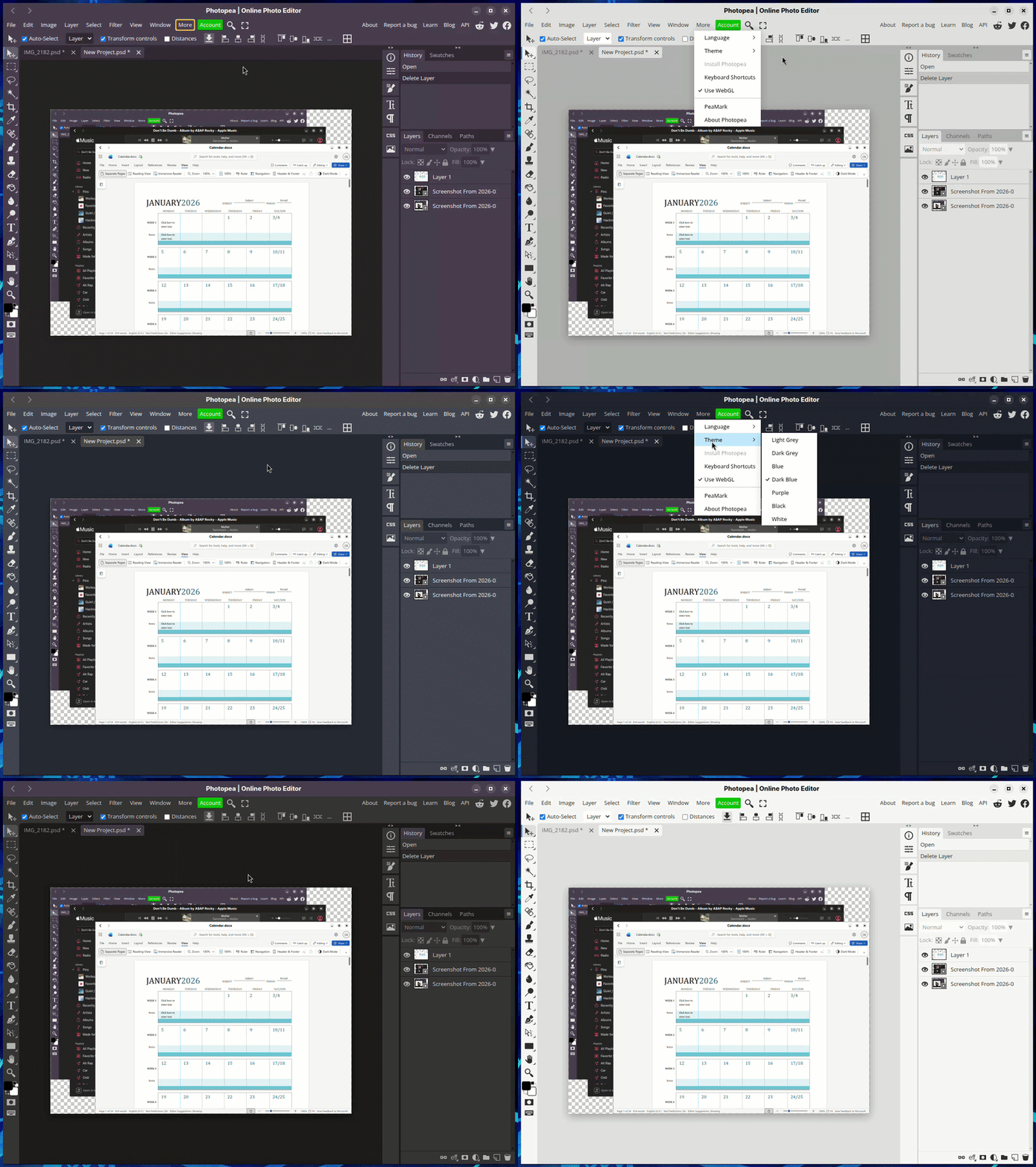
SWAI allows us to make custom integrated web apps that can interact with each other, and fit into the system. Apps have Libadwaita-inspired title bars that are able to adapt to the colors a web app is using, making it feel more coherent and consistent, as well as even inject custom-JS into web apps to remove elements like “Open in Desktop App” that are designed for Windows or macOS users that may want to open something in the desktop app that isn’t on Linux. External links that do not belong to the web app will open in your default system web browser, and some apps (such as Microsoft and Google apps) can interact with each other. This means, from a Microsoft OneDrive app, if you open up a Word document, it opens inside the Microsoft Word app rather than inside a web browser or another OneDrive window.
This also provides a great stop gap for a new Linux user who may need to install Microsoft Word, opens the software center, types “Microsoft Word” and now finds a convenient native-feeling web app built around the Microsoft Word web app. Speaking of software centers…
stillCenter
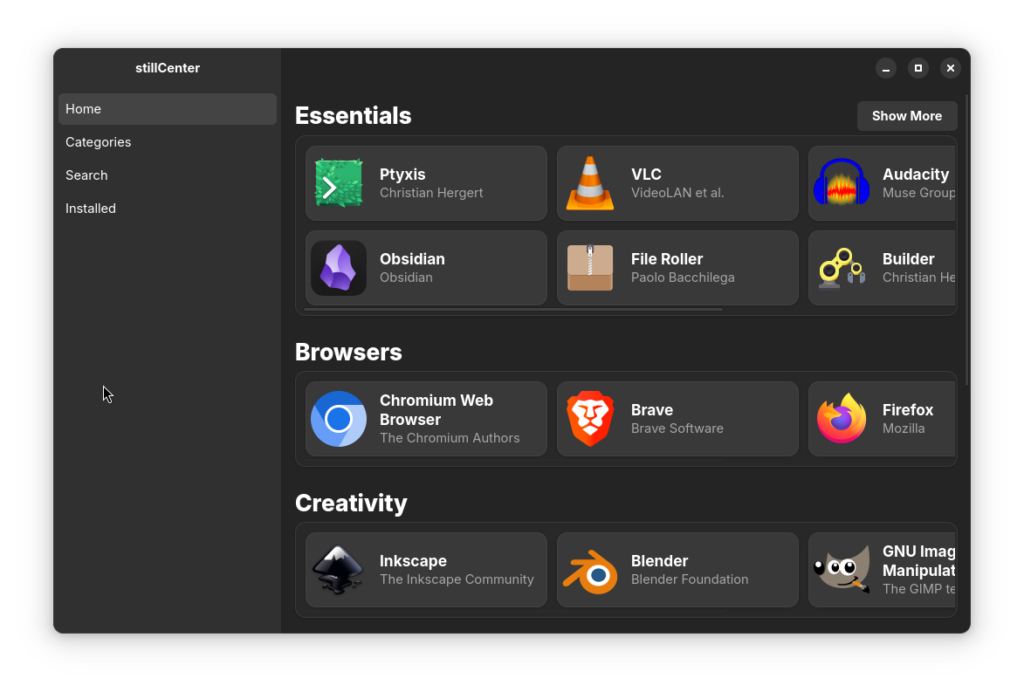
To make our vision work, stillOS ships a very modern Linux stack, including Flatpak, Wayland, and bootc which some legacy apps do not. Another problem Linux has right now is ecosystem fragmentation where QT apps behave poorly on GNOME, and older GTK 3 apps having theming issues on the modern Libadwaita theme that stillOS enforces. Additionally we need a way to integrate our SWAI web apps into a software center.
To solve all of these problems, we built our own ground-built software center with a curated store. Apps are only listed on the software center if they are high quality, work well on stillOS, and if they are using a non-GTK toolkit, but has a Libadwaita alternative, they will not be listed. We do this to prevent people installing low-quality apps and than blaming Linux/stillOS, and to prevent beginners from installing basic KDE apps on GNOME (no shade on KDE, but KDE apps have poor system integration on GNOME).
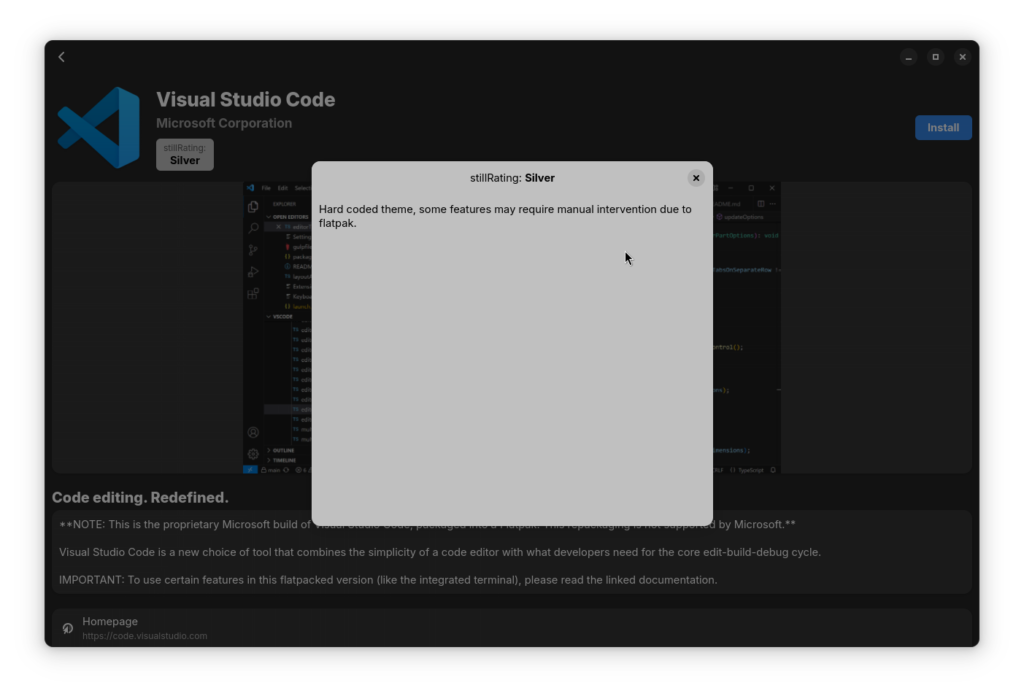
Many approved apps also have “stillRatings” which will point out any issues that the app may have such as poor system integration, or Flatpak/Wayland issues.
That said, you can still easily install non-approved apps through the command line, and in a future update, there will be a sideload tool to graphically install .flatpakref files, AppImages, and even .deb/.rpm through distrobox. Speaking of the command line and distrobox…
stillTerminal
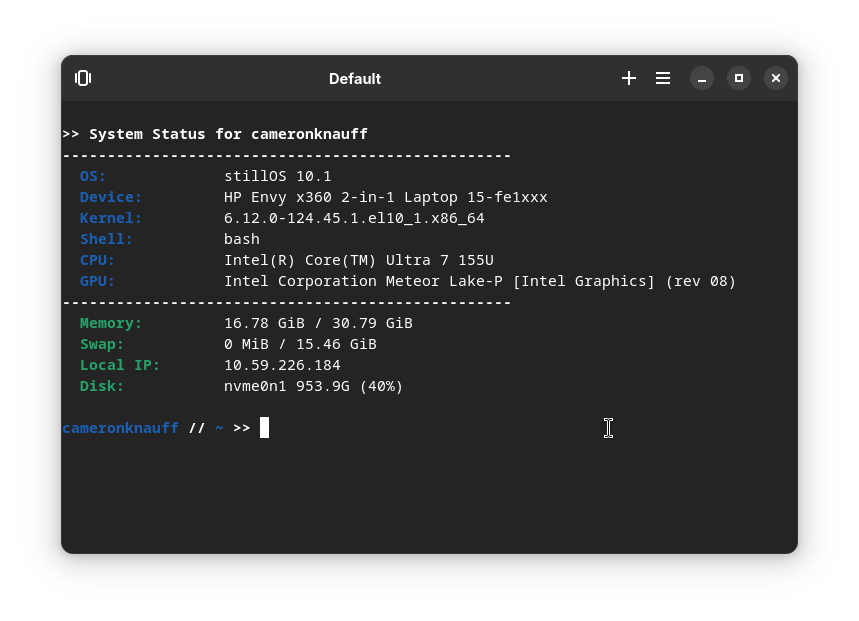
With stillOS, one of the goals is to prevent the need for terminal use for fixing or maintaining your system. However, we recognize that there may be many programmers or power-users who want a very stable platform like stillOS, but also want to get some work done in their terminal. With that, introducing stillTerminal, a terminal emulator designed for work, not play.
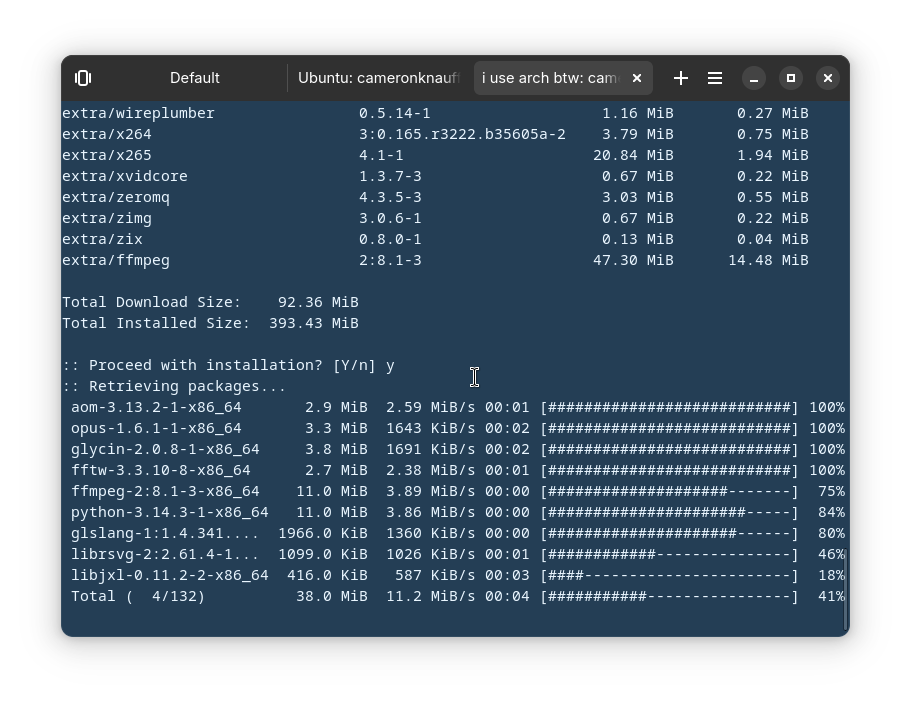
What makes stillTerminal different is it’s integration with both DistroBox containers and SSH remote instances. The default profiles includes a custom ZSH config making it snappy and easy for development work through the terminal. Additionally, you can easily create DistroBox containers for other base Linux distributions, and even install packages for other distributions through these containers. This is great for developers who may need a certain dependency but cannot normally get it on stillOS’s read-only atomic file system. Container profiles are color coded to match the Linux distro inside, which gives you a visual indication of what distro environment you are in. Additionally, you can change color schemes for different profiles, including making a production SSH server bright red, and a testing SSH server blue, so you know not to run dangerous commands in production.
Quick Setup!
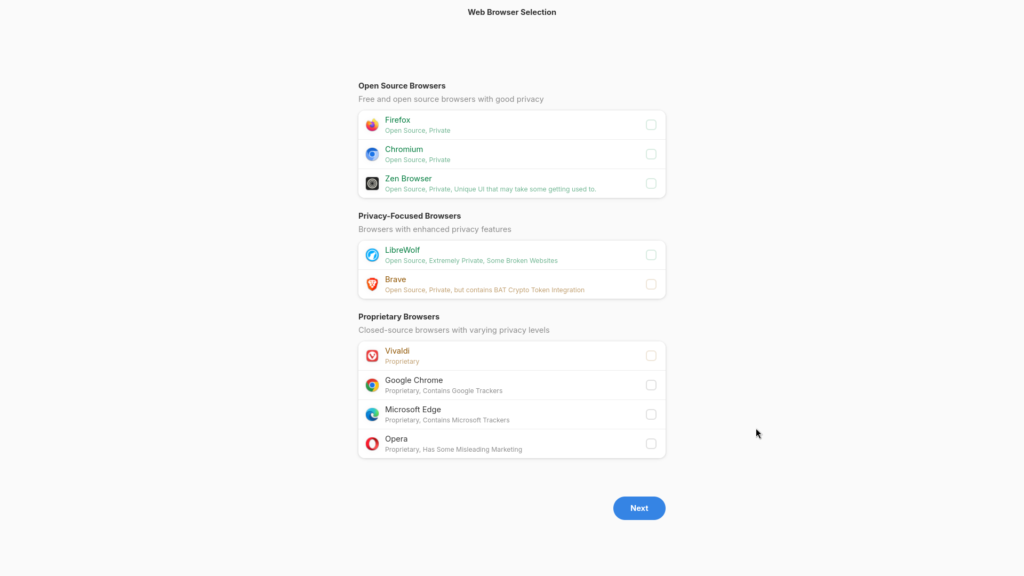
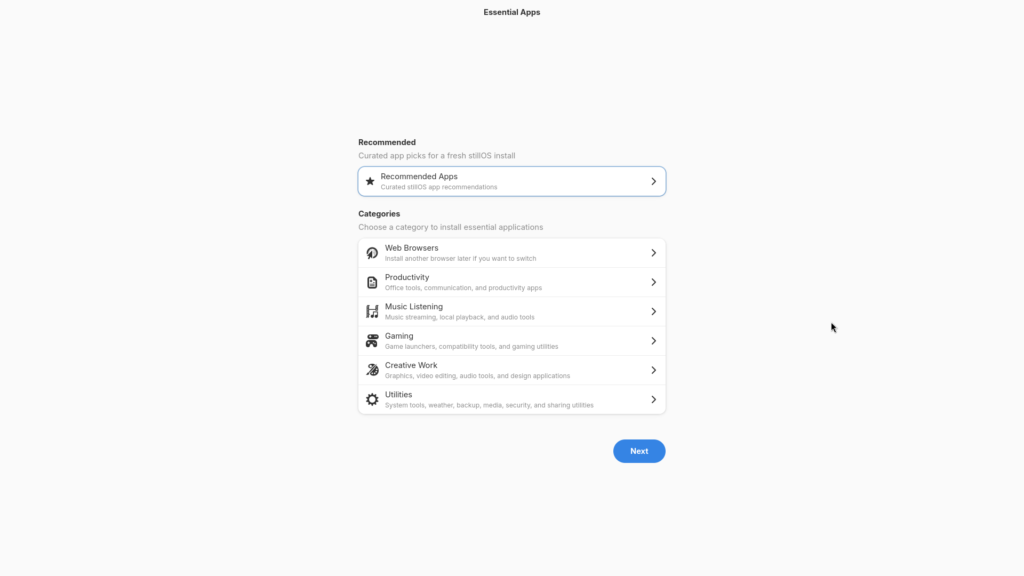
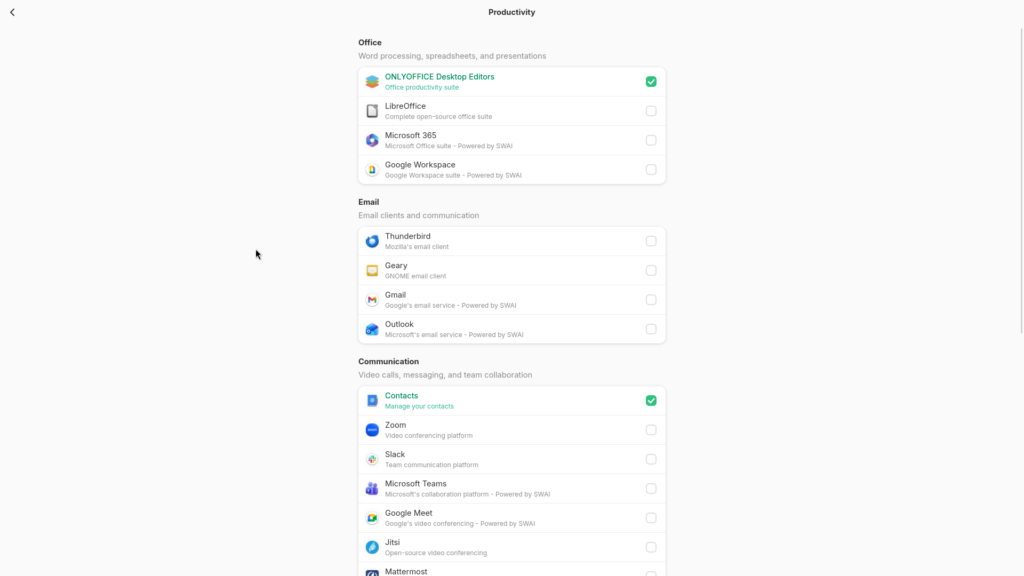
On first boot of stillOS, you can quickly install whatever applications you need for your work, and get up and running in light speed. The point of Quick Setup is to let people choose what apps they want preinstalled, rather than having a giant ISO filled to the brim full of random applications, as well as a way of recommending apps to new users who may not know what apps they need. Just choose apps, and get going in a few clicks.
More to Come!
This is just the beginning, expect a lot more cool things to come out of stillOS in future updates to help make the first truly-consumer ready Linux.
Huge thanks to the stillHQ community built around the stillOS previews while I finished developing the first finished release of stillOS. Especially huge shoutout to Chandeleer for making the beautiful default wallpaper based on Seattle’s famous Space Needle, and Delphic Melody for making app icons for stillCenter, stillControl, and stillExplore (our welcome app). If you click on their name, you can go buy them a coffee for their work. Also huge thanks to Arqam Qazi who just recently started doing a lot of polishing work for SWAI, and has been a huge help.
If you try stillOS, and have any feedback to my personal email:
cameron (at) stillhq.io
Do not use this email for tech support please.